
Sugar skull makeup, previewed on your own photo
Try colorful sugar skull makeup or a burgundy Catrina design on one clear portrait. Choose a preset, upload your photo and generate a digital face-paint preview for 10 credits. Both looks focus on makeup; they do not add a flower crown or change your outfit.
Original concept covers, not guaranteed outputs. Each template has its own photo requirements.
One face, two painted directions
These illustrations use a fictional adult reference and were made for this style guide. They show the intended color and pattern, not verified outputs from this tool. Your portrait and the generated details will differ.
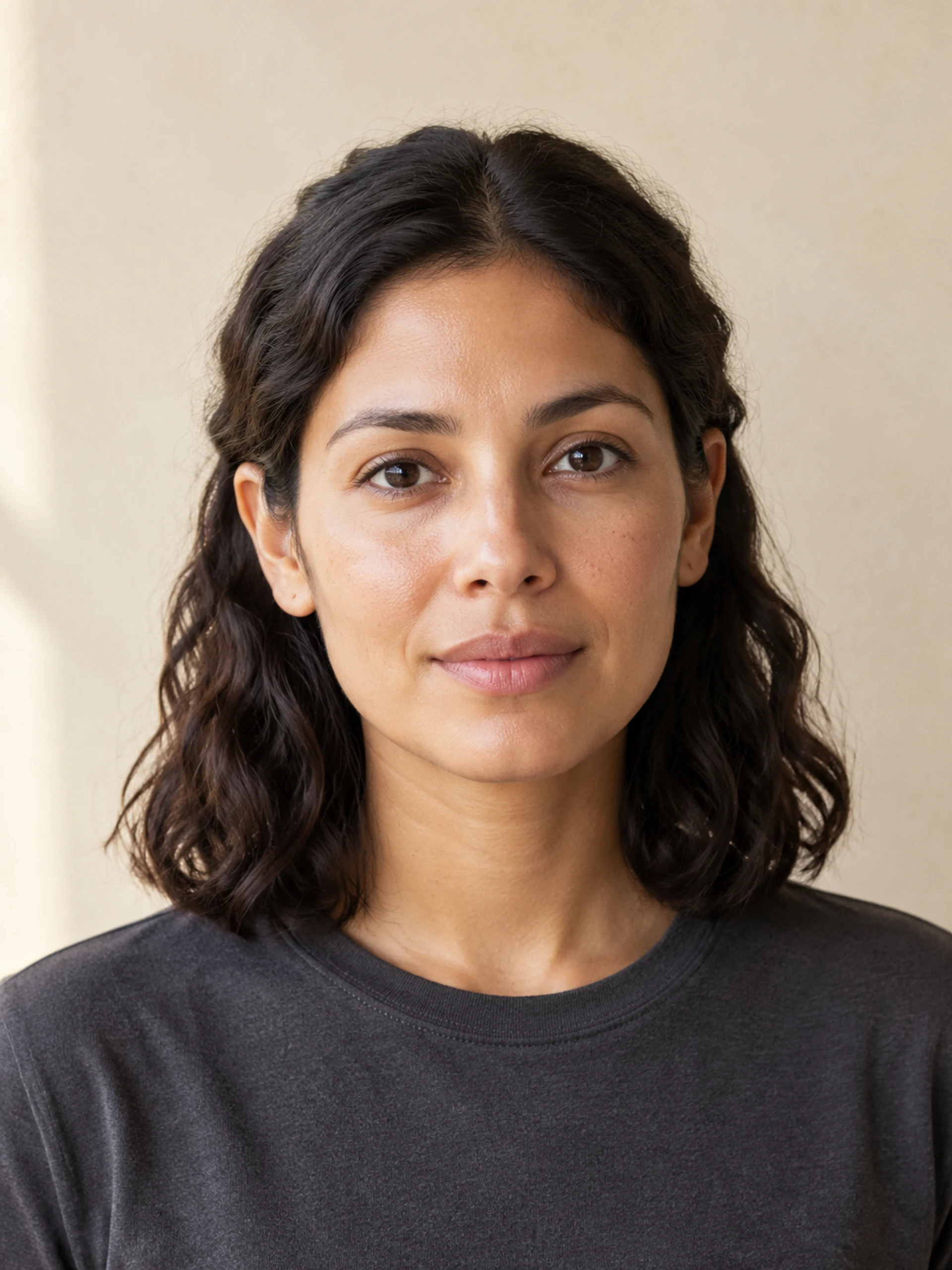
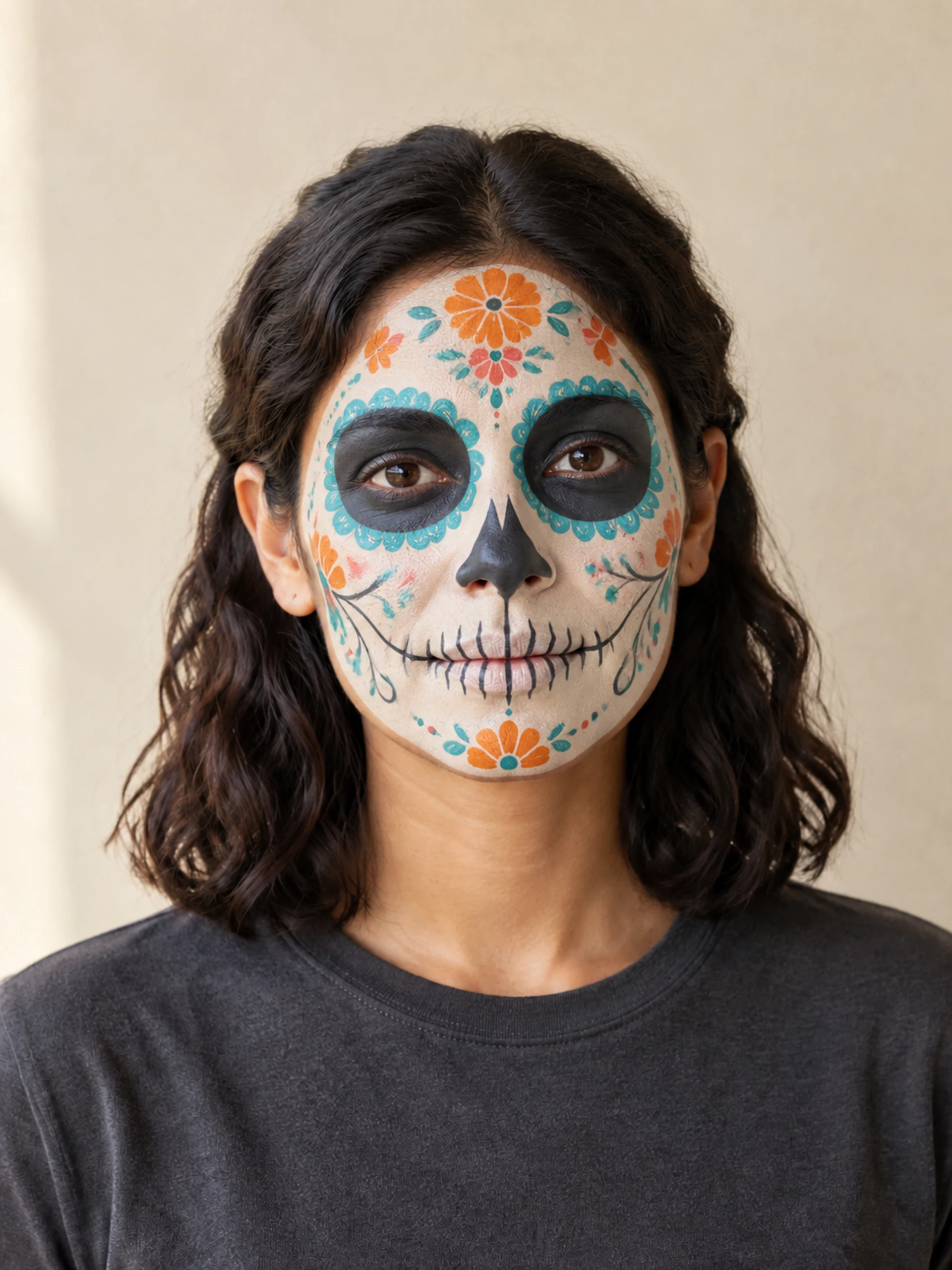
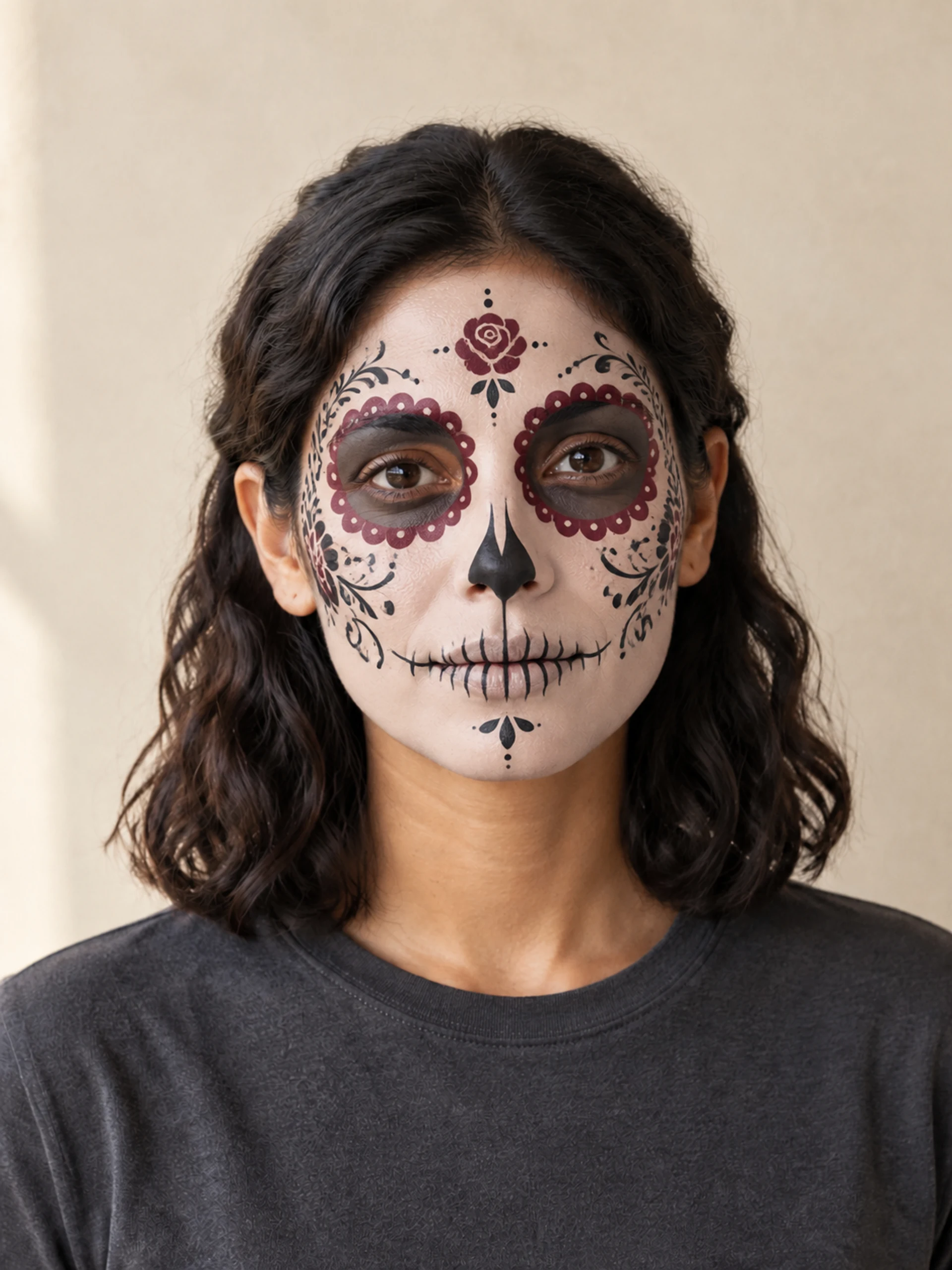
What will sugar skull makeup change?
This sugar skull makeup photo tool applies a decorative painted look to the face in your reference. The colorful preset combines an ivory base, turquoise eye petals, small orange and coral flowers, a dark nose accent and fine painted teeth. The Catrina preset uses burgundy eye borders, black filigree and a painted rose for a more restrained portrait.
Both recipes ask to retain your hairstyle, clothing, pose, lighting and background. The face remains human: the teeth are painted lines around the closed mouth, rather than exposed bone. This makes the image useful for comparing a design with your features before planning a photograph or a physical makeup session. AI can still alter details, so inspect the result beside your original.
Colorful calavera or Catrina face paint?
Choose by the marks you want to see. Colorful sugar skull makeup puts bright petals and small flowers around the eyes and forehead. Catrina makeup here emphasizes symmetry, burgundy tones and fine lace-like lines. Both cover the face with a painted design; neither option is a half-face switch.
The templates are fixed. There are no separate controls for eye color, tooth lines or individual flowers, and no custom-prompt field. A Catrina portrait elsewhere may include a large flower crown, a veil and a new dress. Our Catrina face paint keeps the request limited to cosmetics. Choose another portrait tool if changing the whole costume is your main goal.
| Preset | Color and detail | Editing scope |
|---|---|---|
| Colorful sugar skull | Turquoise petals, orange and coral flowers | Full-face cosmetics; keep outfit and setting |
| Catrina face paint | Burgundy borders, black filigree, painted rose | Full-face cosmetics; no crown or veil |
Choose a photo that leaves room for the design
Use one adult facing the camera or turned slightly, with the forehead, eyes, cheeks and mouth visible. An evenly lit head-and-shoulders portrait gives the pattern enough room. Move hair away from the cheeks and avoid sunglasses, hands over the face, strong beauty filters or existing heavy paint. A group photograph is not the intended input.
For a simple sugar skull makeup idea, compare the broad shapes first: eye borders, nose and mouth lines. Fine flourishes can look attractive in a large image but disappear in a small profile picture. Pick a portrait crop for an avatar or keep more space around the shoulders for a mood board. The image-shape selector changes the requested composition, not the makeup pattern.
A digital preview with cultural context
Sugar skull makeup is a common search term for decorative calavera face paint, while La Catrina refers to a distinct Mexican skeletal figure. Día de Muertos honors people who have died and has its own traditions; it is not simply another name for Halloween. The Smithsonian resources below offer a useful starting point for understanding that context.
If you arrived looking for Halloween sugar skull makeup, use the preview thoughtfully and describe your image accurately. It is an AI interpretation, not a record of a ceremony or a claim of cultural authenticity. A digital design also cannot tell you which physical products suit your skin, how to apply them or how long the paint will last. Use a real makeup tutorial for those practical steps.
How to create your result
- 01
Pick the painted look
Compare the two sugar skull makeup templates, then select the color direction you prefer. Read the input hint before choosing a photograph. You do not need to arrive wearing face paint, buy a costume or write a prompt; the selected preset supplies the design instructions.
- 02
Upload and generate
Sign in and add one JPG, PNG or WebP portrait, up to 10 MB, with both dimensions at least 256 pixels. Choose the image shape and check the displayed 10-credit cost. Submit once, then follow the task status while the AI prepares your portrait.
- 03
Inspect, download and keep
Review the eyes, mouth, symmetry and likeness at a useful size before downloading. Look for paint spilling into hair or clothing. Your creations history lets you return to the task. If a connection breaks, check that history before starting again so you do not create a second paid request unnecessarily.
Before you start: files, credits, and saved tasks
Privacy and image handlingUpload only a portrait you are allowed to edit. One adult per photo is the intended subject; pet images and group portraits do not match these face-paint recipes. A sharp source helps, but it does not guarantee an unchanged face or identical detail across separate generations.
Generation requires an account and sufficient credits. Reference photos are uploaded and processed through the configured AI and storage services; this is not an offline editor. Read the privacy policy before submitting personal images. Processing time varies, and concept illustrations are not a promise of your result.
Questions before you generate
Is this a live sugar skull makeup filter?
This is a photo-based AI editor. Upload a still portrait and generate a new image; there is no live camera overlay, face tracking or recording mode. You can download a completed portrait and use it in another app, but this page does not activate a TikTok, Snapchat or CapCut effect.
Will Catrina makeup add a flower crown?
No. The Catrina preset requests a rose painted on the forehead and decorative facial linework. It asks to preserve your hair, clothes and background. A real floral headpiece, veil or dress would require a different editing scope, so those changes are not included in either template here.
Can I choose half-face or customize the colors?
The two available presets use full-face designs with fixed palettes. This page has no half-face toggle, brush, color picker or individual pattern controls. For an ivory-and-charcoal half-face skeleton preview, visit the Halloween makeup collection. That is a separate look with its own selectable template.
Can beginners use this as a makeup tutorial?
You can use the image as visual inspiration or discuss it with a makeup artist. It is not a sequence of application steps, a shopping list or a test of cosmetic safety. AI may draw details that are difficult to reproduce, so simplify the design when planning real face paint.
Is the sugar skull makeup preview free?
You can browse the two concepts before generating. Creating a portrait requires sign-in and 10 account credits per task. Trying the other preset starts another generation with its own charge. Review your balance and the pricing page first; there is no promise of unlimited free images.
Find the right Halloween tool
Choose a task first, then a style. Every tool below uses the same account and credit balance.