
Couple Halloween Costume Generator for Two Photos
Turn two separate portraits into one couple Halloween costume picture. Choose cowboy and angel, Medusa and a stone companion, or a sheet-ghost pair. Upload photo 1 for the left role and photo 2 for the right. The ghost option deliberately covers both faces; the other pairs aim to keep you recognizable.
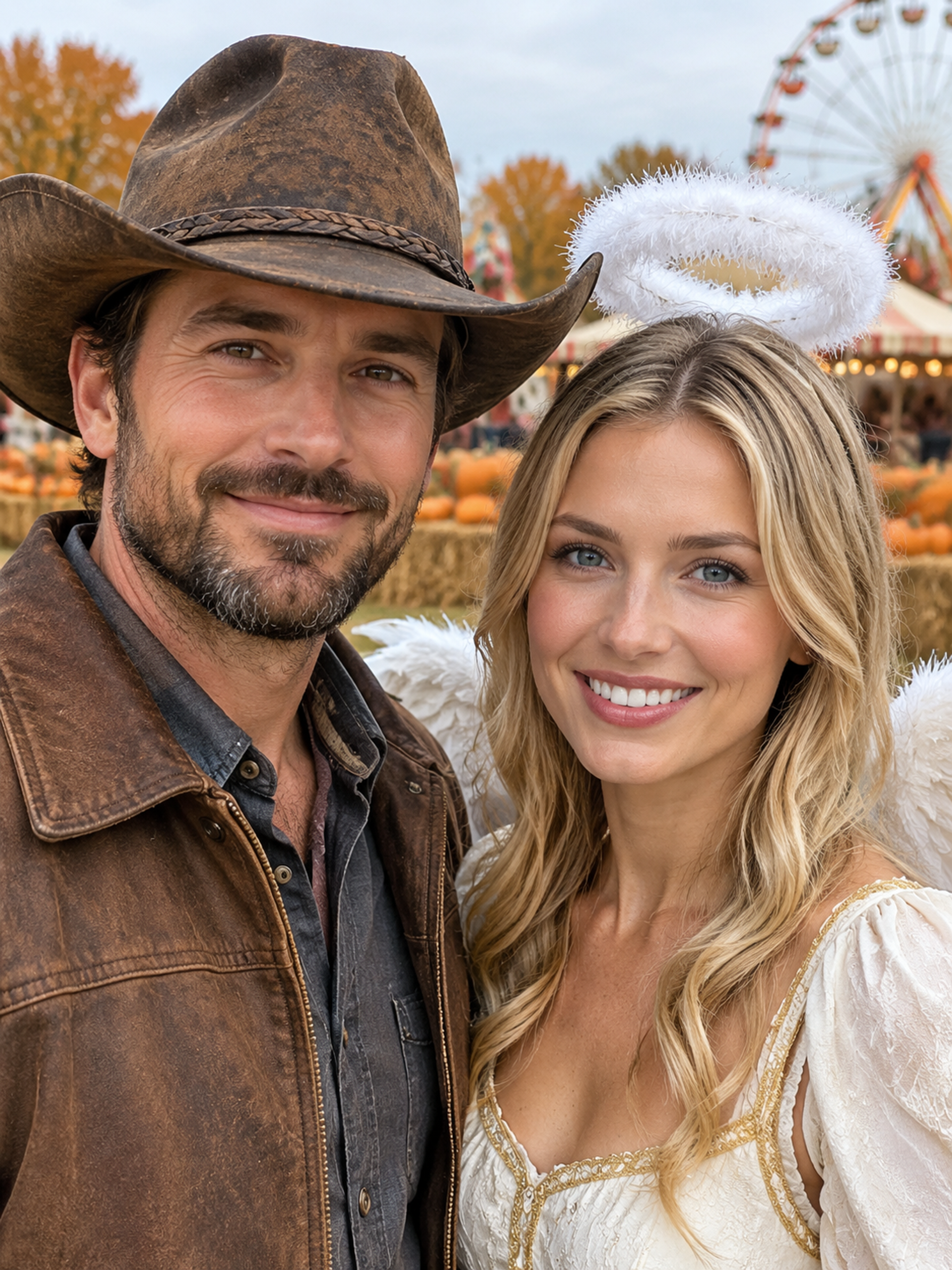
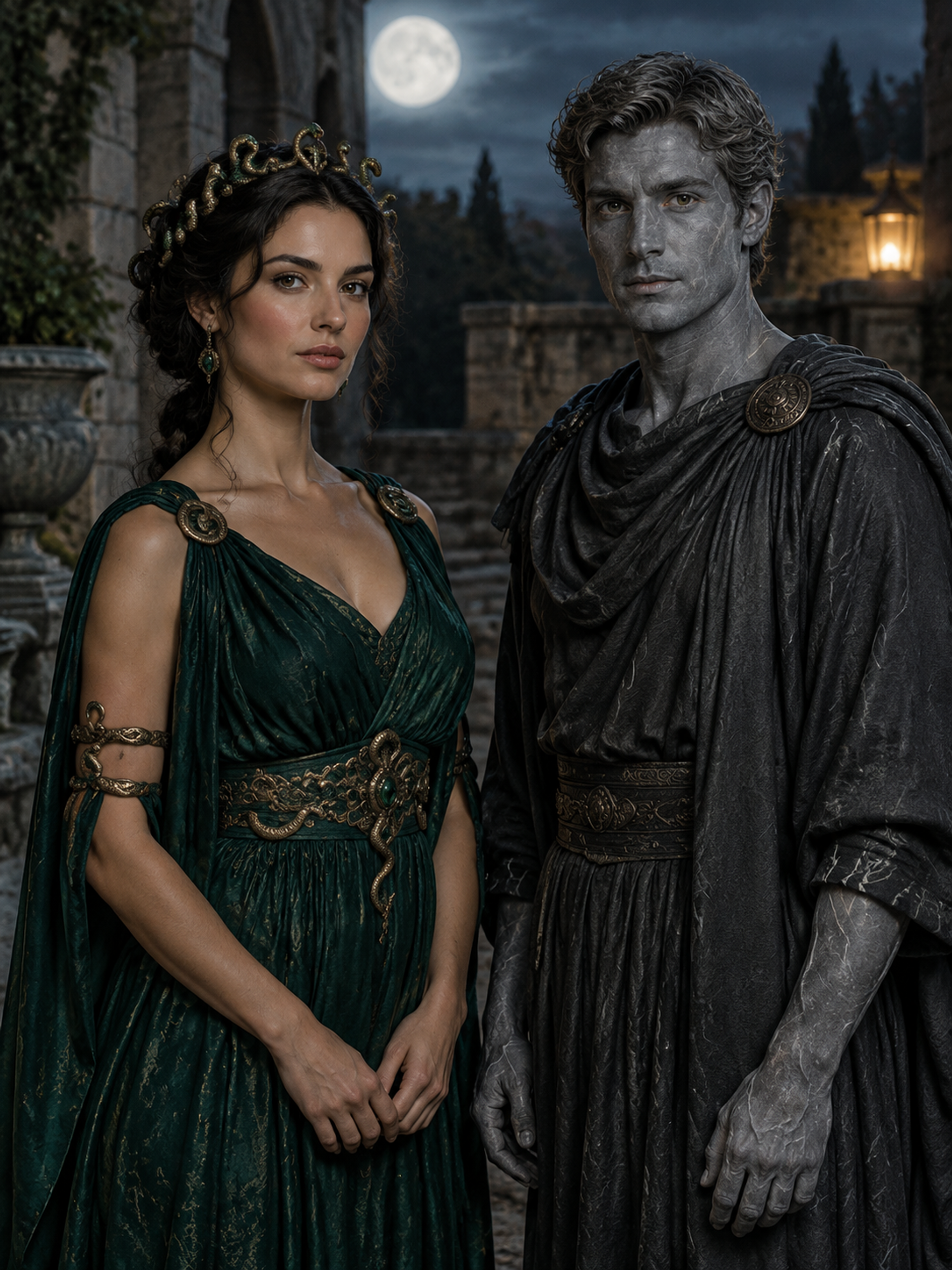
Original concept covers, not guaranteed outputs. Each template has its own photo requirements.
A shared costume picture without arranging a joint shoot
You can start a couple Halloween costume portrait even when your favorite photographs were taken in different places. Each person supplies a reference, and the selected template builds a shared composition with coordinated clothing and lighting. It is useful for partners planning a party, friends making a seasonal post, or two people who want to compare a costume direction before assembling it in real life. No romantic relationship is required to use a pair.
The result is a newly generated scene, rather than two unchanged cutouts placed on one background. Faces, clothing and proportions can vary. Compare both people separately before keeping the image; a convincing resemblance for one person does not prove the second is right. The covers are AI concept illustrations of the supported themes, not customer results. They show what each pair is designed to change and which faces should remain visible.
Three pairs with different moods and face coverage
Cowboy and angel combines a grounded western outfit with a lighter winged costume. Medusa and stone companion uses an original snake-crown look beside gray stone-effect theatrical makeup. Both aim to retain two distinct human faces. The sheet-ghost pair is intentionally anonymous: white sheets and sunglasses hide the faces, with silhouettes and visible shoes carrying the shared look. Choose that option for the costume mood, not for a recognizable facial portrait.
For easy couples Halloween costumes, the ghost concept can also be a useful mood reference, while the mythic pair suggests a more elaborate makeup project. These images do not measure comfort, fabric movement or the difficulty of making a real outfit. If you are choosing a costume to wear all evening, agree on practical details separately. The generator helps you see a coordinated picture; it cannot tell you whether a crown will stay on or a sheet will be safe to walk in.
| Pair | Photo 1 · left | Photo 2 · right |
|---|---|---|
| Cowboy and angel | Cowboy; face visible | Angel; face visible |
| Medusa and stone | Snake-crown character; face visible | Stone makeup; face visible |
| Sheet ghosts | Sheet and sunglasses; face hidden | Sheet and sunglasses; face hidden |
Keep photo order and identities easy to follow
The upload order determines the intended roles: reference 1 goes on the left, and reference 2 goes on the right. For cowboy and angel, that means cowboy first and angel second. For the mythic pair, use Medusa first and the stone companion second. Add the photos in the opposite order if you want the other person assigned to that role. There is no separate role-swap control or custom character field.
Use one clearly visible person in each reference, preferably with similar camera angles and even lighting. Avoid uploading the same group photograph twice: the model would have to guess which face belongs to which role. Different backgrounds are acceptable because a new scene is created, but extreme differences in face size or viewing angle can complicate the result. For a couple Halloween costume image that feels balanced, choose references in which both faces are comparably clear. For sheet ghosts, choose two full-body references with shoes visible; tight face crops do not supply those details.
Plan a matching post, invitation or costume mood board
Start with the job your picture needs to do. A shared profile image needs both subjects readable in a small crop. A party invitation benefits from space for text added afterward. A costume mood board should show the particular pairing, colors and accessories you want to discuss. Choose an aspect ratio that suits that purpose rather than cropping one person out after generation.
For matching Halloween costumes, treat the output as inspiration rather than proof of fit or an exact shopping reference. The preset may redesign garments and does not preserve every detail of the source outfits. Review both faces, hands, left-right assignment and the boundary between the two people. If something is wrong, try clearer references or another supported pair. This page offers three fixed concepts; it is not an unrestricted generator for any fictional duo, and it does not create a video as part of the photo task.
How to create your result
- 01
Choose the pair together
Select one of the three templates before uploading. Check the role table so both people know the intended look and whether their faces will be visible.
- 02
Upload two separate references
Sign in and add one portrait per person, in the intended left-right order. Check the two previews. Choose a framing ratio wide enough for the composition you want.
- 03
Generate and review both people
A photo task costs 10 credits in total, not 10 per reference. Wait for the result, check each person's likeness and role, then download. Check your creations history first if the page loses its connection.
Before you start: files, credits, and saved tasks
Privacy and image handlingUse photographs you have permission to upload. Each of the two references must be JPG, PNG or WebP, no more than 10 MB each and 20 MB combined, with both dimensions at least 256 pixels. A single group photo does not replace the two required inputs.
Generation requires an account and sufficient credits. Images are uploaded for processing; the tool does not run offline. Read the privacy policy with both people before submitting photos.
Questions before you generate
Do we have to be in the same original photo?
No. The couple Halloween costume tool accepts two separate references and creates a shared scene. Choose one person per image. It does not require a pre-existing joint photograph, and supplying a crowded group shot can make identity assignment less clear.
Can friends or same-gender couples use the templates?
Yes. Pick the roles each person wants, then use the corresponding upload order. The template does not need relationship information. Clothing is generated for the chosen concept, so inspect the result rather than assuming an exact fit or unchanged appearance.
Can I reverse the cowboy and angel roles?
Yes: put the intended cowboy in photo 1 and the intended angel in photo 2. Reverse the source order to reverse who receives each role. If the current inputs are wrong, remove and re-add them in the order you want before generating.
Why can't I see our faces in the ghost result?
The sheets and sunglasses deliberately conceal both faces. Facial likeness is not the goal of that template. Choose cowboy and angel or Medusa and stone companion if recognizing both people is important to your picture.
Can I request a different couple Halloween costume?
This page has three preset pairs and no custom prompt box. It cannot promise another character combination or a licensed costume replica. Browse the other tools for single-person ideas, or use one of the supported pairs as a starting point.
Find the right Halloween tool
Choose a task first, then a style. Every tool below uses the same account and credit balance.