
Mermaid Halloween Costume Photo Generator
See yourself in a mermaid Halloween costume before deciding on your party look. Choose pearl costume styling or a makeup-only preview, upload one clear adult portrait, and create an AI image. These are digital style ideas, not clothing for sale or an exact virtual fitting.
Original concept covers, not guaranteed outputs. Each template has its own photo requirements.
Two editing scopes, shown as style illustrations
Choose a complete pearl party look or focus on makeup. These independently generated illustrations are not a before-and-after pair and do not guarantee a matching result.
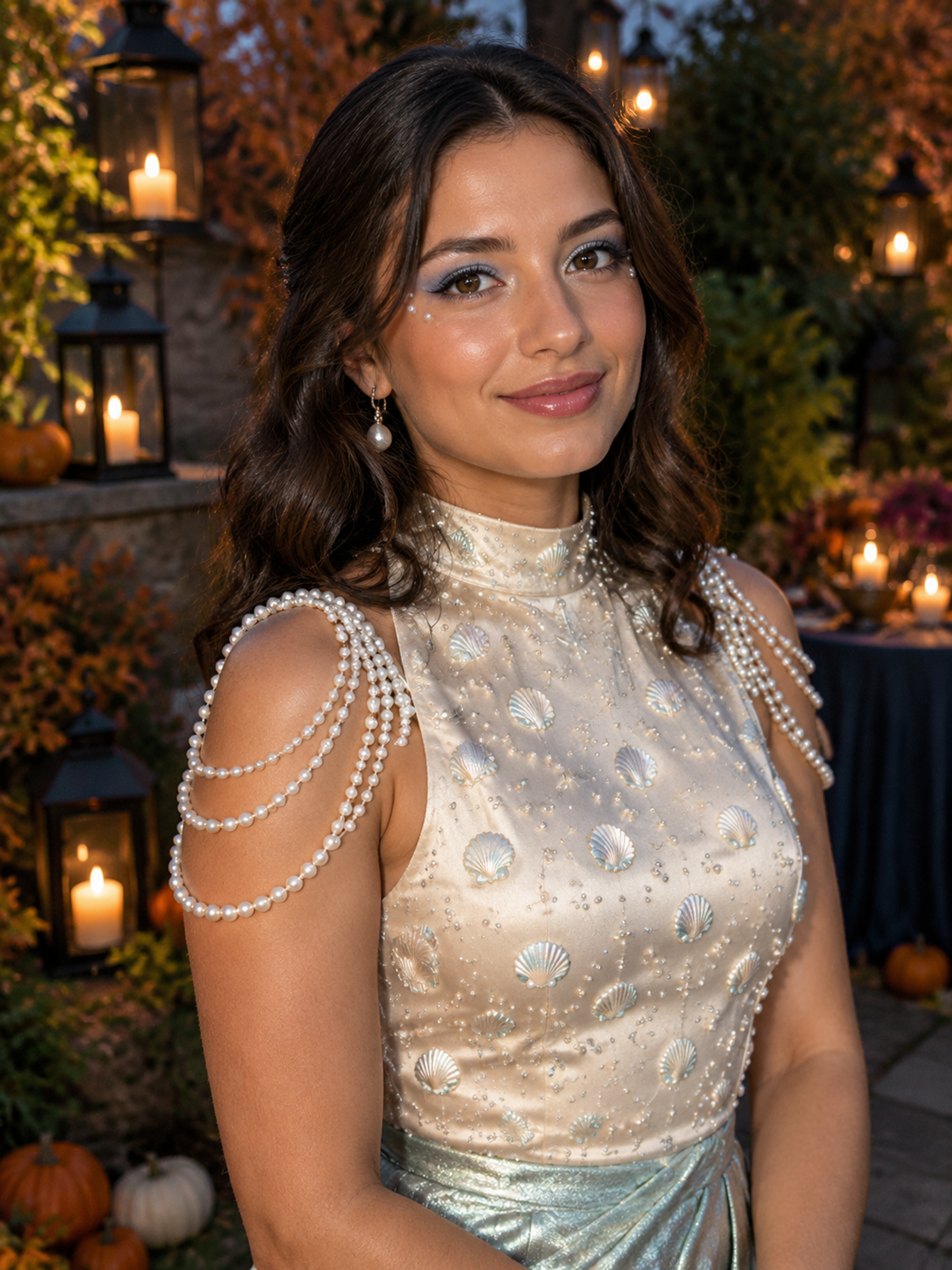
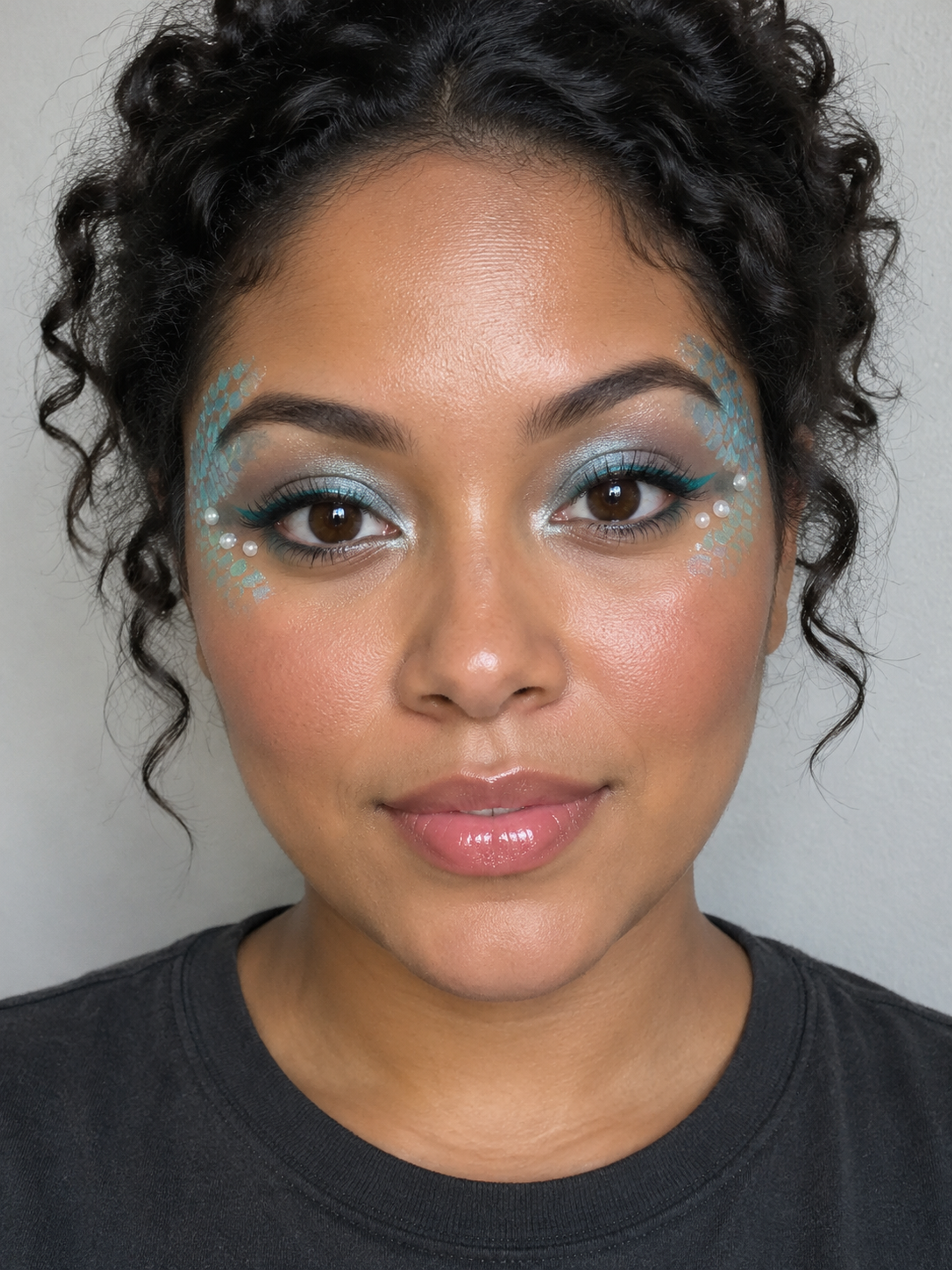
A mermaid look you can picture yourself wearing
A mermaid Halloween costume can be built around pearls, shell details, ocean-colored eye makeup, and shimmering fabric. You do not need an underwater scene or a literal fish tail for the theme to read. This tool focuses on recognizable human portraits and wearable party styling, with two different editing scopes.
Choose Pearl Mermaid Party for a costume portrait: an opaque pearl-and-shell bodice, a seafoam skirt, soft waves, and a softly lit party setting. Choose Mermaid Makeup Only for aqua shimmer, painted scales near the temples, and small pearl accents while asking the model to keep your clothes and background. The template illustrations show the intended style; individual results will vary.
Costume styling or makeup only?
Start with the part of your look you are still choosing. If you want an overall outfit idea, use the party template. If you already have a dress or top and are deciding how to finish it, try the makeup preview. A close portrait gives the eye details more room; a wider reference helps the costume template interpret your shoulders and torso.
Both paths use your uploaded photograph as a reference. They request the same person, age, and natural skin tone, but neither guarantees exact identity or body measurements. Check the face as carefully as the accessories before keeping a result. The comparison below explains what each template is intended to change.
| Template | Intended changes | Intended to keep |
|---|---|---|
| Pearl Mermaid Party | Outfit, hair styling, makeup, party setting | Reference identity, age, skin tone |
| Mermaid Makeup Only | Eye makeup, surface scales, pearl accents | Clothes, hair, pose, background |
Pearl mermaid, sea siren, or storybook character?
Pearl mermaid styling is the softer party direction: shell jewelry, silver-blue eye color, a little shine, and waved hair. A sea siren can be more theatrical, with wet-look hair, metallic lips, netting, and special-effects fins. Storybook costumes may instead rely on a recognizable character, brightly colored wig, and a long tail skirt. These are related ideas with different practical needs.
The two templates here cover pearl party styling and surface makeup. They do not create the elaborate fin prosthetics of a sea siren, reproduce a named film character, or replace your legs with a swimming tail. If you are browsing siren costume ideas, use this page to explore the lighter makeup direction rather than expecting a creature transformation.
Turn a saved look into a useful party reference
Use the result to decide which details matter to you: pearl placement, the eye color, a shell neckline, or the balance between shine and ordinary fabric. For a last-minute mermaid Halloween costume, picking two or three details you can actually source is more useful than trying to copy every generated accessory. An AI image cannot confirm how a garment fits, how a skirt moves, or whether jewelry stays attached.
For a real DIY outfit, follow a maker’s instructions and check the materials you plan to wear. This page does not teach cosmetic application or recommend adhesives for skin. If you already have your costume, a makeup-only preview keeps the decision narrower. Bring the saved image as a visual reference, not as a shopping list with guaranteed matching products.
Make a portrait for your feed or story
Choose 4:5 for a portrait-oriented feed image or 9:16 when you want a taller composition for a story. The selected ratio changes the generated canvas; it does not turn the image into a video. Keep the face unobstructed in your reference and leave enough room around the head for hair and accessories.
Review your mermaid Halloween costume image at full size before downloading it. Look for uneven pupils, distorted pearl strands, unexpected lettering, or hands that do not look natural. You can make another attempt with a clearer photo, but each new generation uses credits. When sharing, describe the image as AI-generated and follow the destination platform’s rules. Do not present a digital costume as proof of a real purchase or a real makeup result.
How to create your result
- 01
Pick the change you want
Select Pearl Mermaid Party or Mermaid Makeup Only in the studio. Read the selected template description before uploading so you know whether clothing and scenery are meant to change.
- 02
Add one clear adult photo
Sign in, then upload a JPG, PNG, or WebP portrait, up to 10 MB. Use one person with an unobstructed face in even light. Choose the image ratio before generating.
- 03
Generate, inspect, and download
Check the displayed credit cost and submit once. The studio shows processing and result states. Inspect the completed image, download it, or find it later in your creations. If a request fails, follow the displayed status before trying again.
Before you start: files, credits, and saved tasks
Privacy and image handlingUse a photo of yourself or an adult who has agreed to this use. Avoid group pictures, masks, strong beauty filters, and images where the face is very small.
Generation requires an account, available credits, and an internet connection. Photos are uploaded for processing; this is not a local-only editor. Read the privacy policy before uploading.
Questions before you generate
Can I buy a mermaid Halloween costume here?
No. AI Halloween creates a digital portrait from your photo. It does not sell or deliver costumes, locate products, or check clothing sizes. Use a generated look for inspiration, then assess real clothing separately.
Do I need a fish tail or a full-body photo?
No fish tail is required. Both templates keep a human form. A clear head-and-shoulders photo suits the makeup preview; a portrait showing your torso gives the party template more outfit context. A tiny face in a distant full-body shot is less useful.
Will the makeup preview change my clothes?
The makeup-only instructions ask the model to keep your clothes, hairstyle, pose, and background. AI can still make unintended edits. Compare the result with your reference and discard any image that changes details you wanted to keep.
Is this a free mermaid filter?
You can browse the styles before signing in. Creating an image requires an account and credits; the studio displays 10 credits per image. Check pricing for available credit packs. Downloading an existing completed result does not submit a new generation.
Can I use this for a scary siren or a mermaid video?
These presets produce still images with pearl styling or surface makeup, not monster fins or a swimming transformation. The separate video tool has its own templates, requirements, and cost. This page does not promise a mermaid-specific video effect.
Find the right Halloween tool
Choose a task first, then a style. Every tool below uses the same account and credit balance.